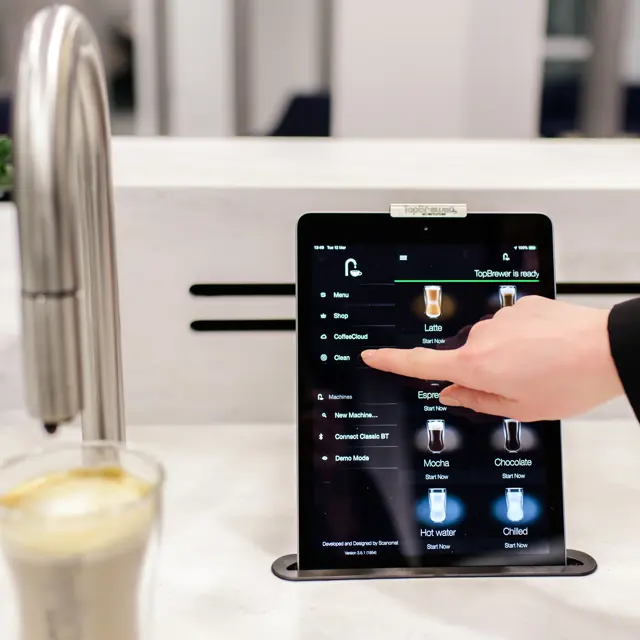
Easy to clean coffee machine

Preparing TopBrewer for temporary shut-down

With some workplaces and commercial premises temporarily closing their doors over the holiday period, we realise you may need to temporarily switch off your TopBrewer coffee machines. With this in mind, see below some simple steps to follow that will help to ensure your coffee machines are protected and that they will be up and running, with fresh coffee flowing, as soon as it is time to switch them back on again - one less thing for you to worry about.

How to safely shut down your TopBrewer:

  1. Follow the TopBrewer automatic clean cycle using a TopBrewer cleaning tablet.
    You can find instructions for the full cleaning cycle in our cleaning manual:
    TopBrewer Pro Cleaning Manual
  2. Empty the TopBrewer coffee bean hopper(s) and wipe clean
  3. Empty the TopBrewer milk container and wipe clean
  4. Ensure the milk lines are flushed through as part of the cleaning cycle (p.9 in cleaning manual)
  5. To make sure there are no coffee grounds left in the grinder, perform a Grinder Clean (p.18 in cleaning manual - only available on v3 clean recipes).
  6. Wipe clean and disinfect all areas of the TopBrewer, including swan neck, drip tray and fridge seals
  7. Spray a little disinfectant onto a damp cloth and wipe the iPad screen
  8. If applicable, remove the chocolate box and follow the procedure for ‘Chocolate Clean’ in the TopBrewer cleaning manual (p14. in cleaning manual)
  9. Switch off the TopBrewer
  10. We recommend isolating power and water to all equipment if possible

In addition, here are some simple steps to shut down your TopJuicer or TopWater machines (if applicable).

How to safely shut down your TopJuicer:

  1. Run a full clean cycle
  2. Wipe clean and disinfect all areas of the TopJuicer
  3. Spray a little disinfectant onto a damp cloth and wipe the iPad screen
  4. Switch off the TopJuicer
  5. Isolate water and power (If possible)

How to safely shut down your TopWater:

  1. Switch off the TopWater
  2. Wipe clean and disinfect all areas of the TopWater including the stainless steel buttons
  3. Isolate water and power (If possible)

If you need any additional support, please email our service support team service@scanomat.co.uk and we will be happy to assist.

We offer a number of remote access tools to support our customers. You can find more information on the remote user access technology available with TopBrewer, including information about the TopBrewer smartphone app and CoffeeCloud, our cloud-based monitoring and insights tool.

We would like to assure you that we are monitoring the situation very closely and following all government advice in order to safeguard our staff, our customers and your staff.